Harness
Let AI do the work, but ask you before it acts
Once AI can edit records, submit orders or deploy code, the main risk is it acting on its own. We draw the lines: which actions need a human, what each agent is allowed to touch, how much it may spend in a day, and what it did. Our own console uses the same guardrails.
A good fit when
- Already using Claude Code, the Agent SDK or a similar framework
- Want agents in production workflows without losing control
- Need repeatable evaluations to measure changes
Not a fit when
- Still deciding whether to use AI at all
- Only need a one-off prompt tweak
What you get
- 01Agent harness code and tool definitions
- 02Evaluation dataset and regression scripts
- 03Permission, budget and audit configuration
Related articles
Write-ups on our founder's blog, covering how it was done and the problems along the way.
Related work
Systems we run ourselves or have published that are the same kind of thing as this service.
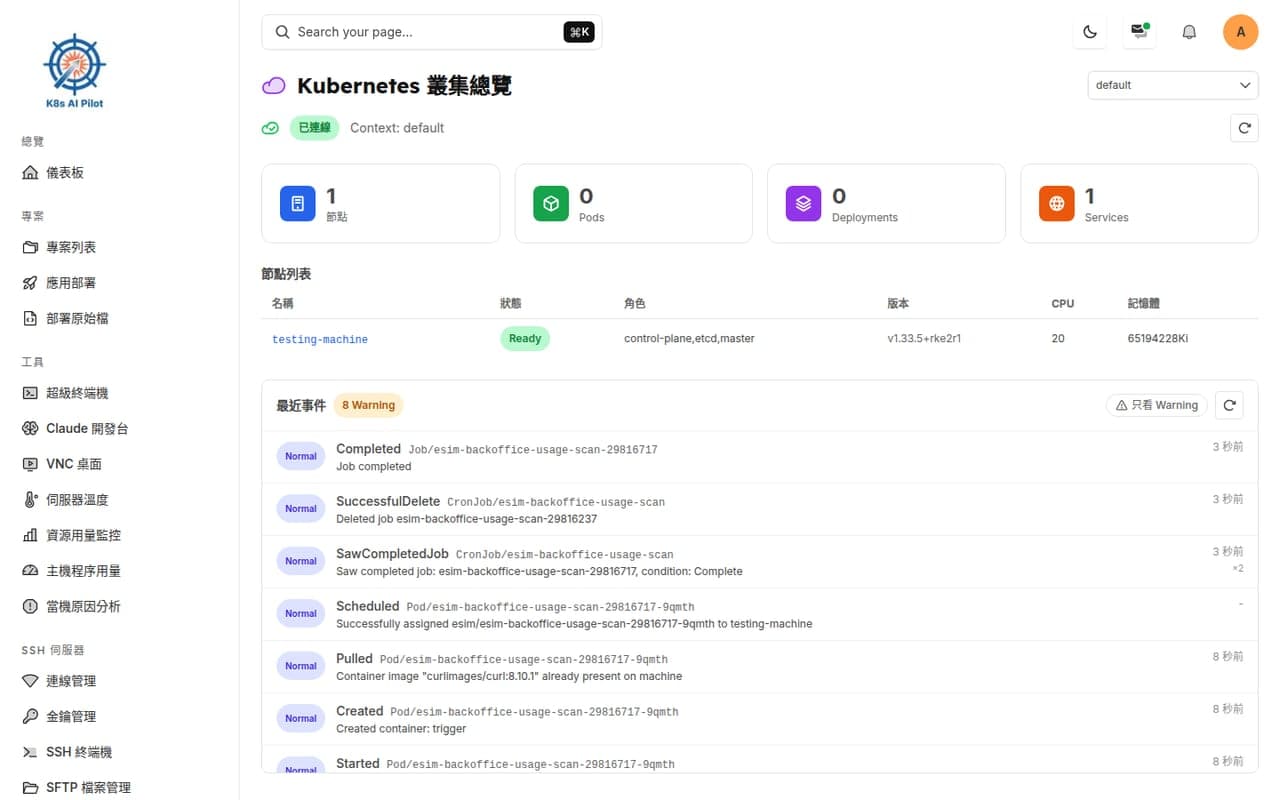
Harness / internal tools
v-terminal developer platform
Our own browser-based platform for building and operating software: terminals, Kubernetes, Helm GitOps deploys, CI, registry and an AI coding agent in one screen. This website was shipped from zero using it.
- Git push to self-hosted runner to Harbor to Helm sync, one pipeline
- AI console: send a task from your phone, the agent reads the spec, edits and tests
Next.js · Node.js · SQLite · Kubernetes client · Claude Agent SDK
See insideHarness