On-prem models
Virtual human and AI media generation platform
A generation platform on our own GPU server. Each virtual human has its own LoRA, so the face stays the same across scenes and outfits; they shoot everyday clips and act in multi-character sketches, lip-synced in their own voices. It also turns a topic, a news article or a slide deck into a narrated, subtitled video, and can produce a whole instrumental album. Images, video, voice and music are all generated on the local GPU.
What this system does
- Virtual humans: one LoRA per character, the same face across scenes and outfits, each with its own voice and persona
- Clips and sketches: AI writes the script, plans the storyboard, generates frames and shoots the video, and you can stop to review, edit or redo any step
- Workbench: text-to-image, image-to-image, retouching, outfit swaps, image-to-video, lip sync, music and voice, with switchable models
- The GPU queue runs one shot at a time and shows VRAM live; scripts can be written by Claude or by a local llama.cpp model
Inside the product
Live screens. Fields containing customer data are masked. Tap a screenshot to see it full size.
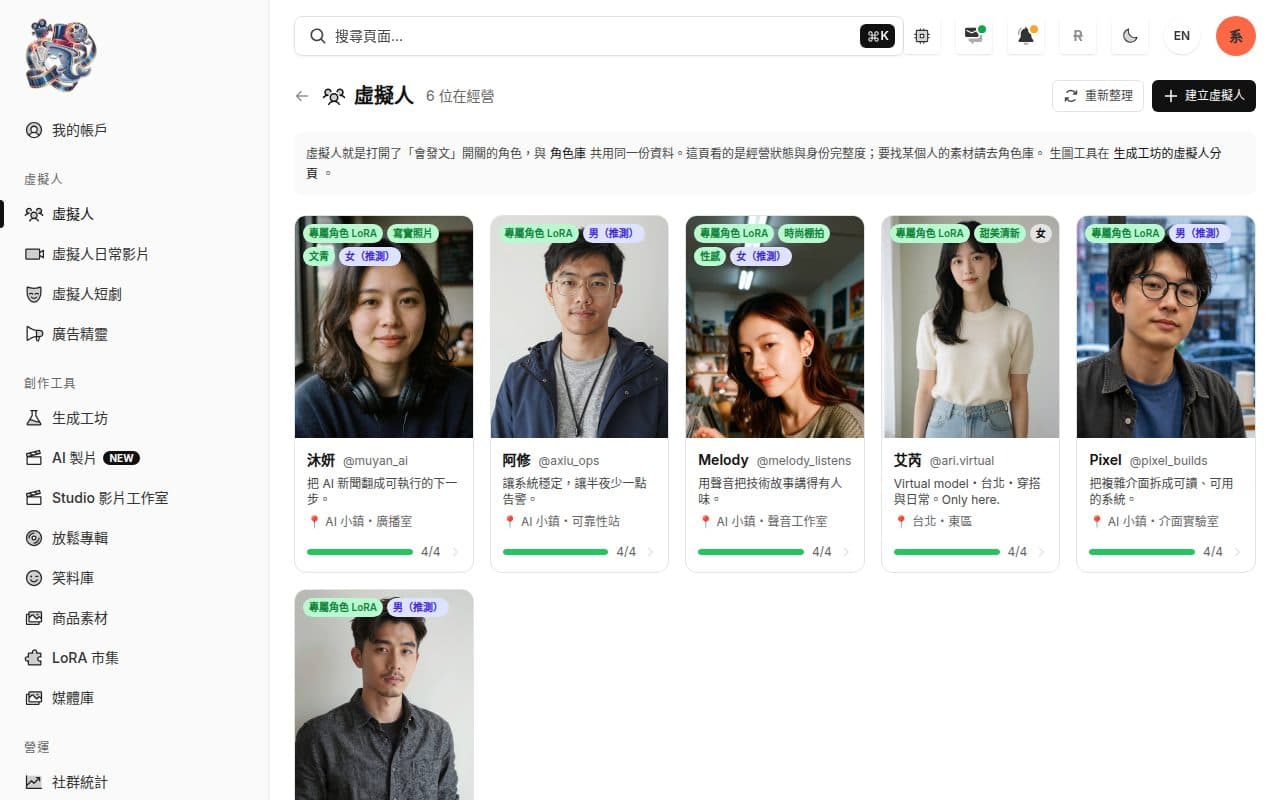
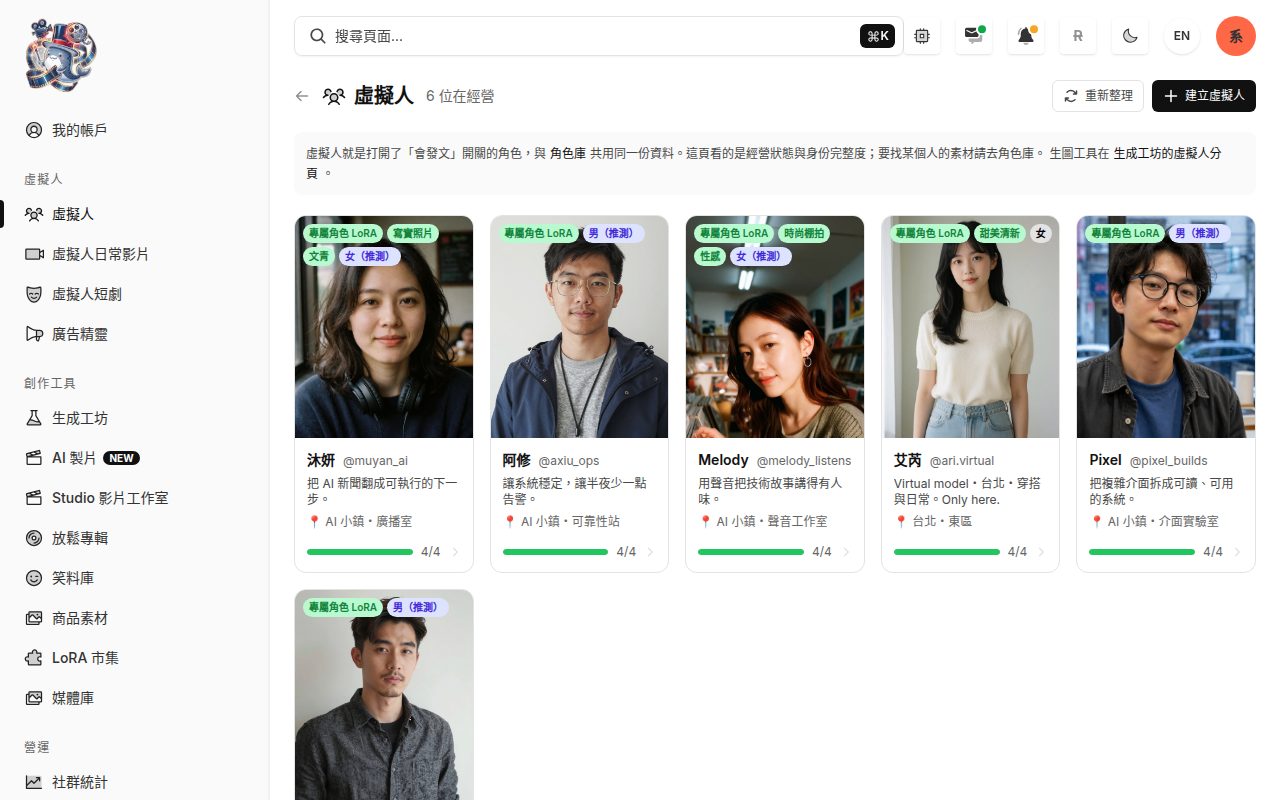
Virtual humans: each character has a dedicated LoRA, a persona and a social handle, with asset completeness at a glance. 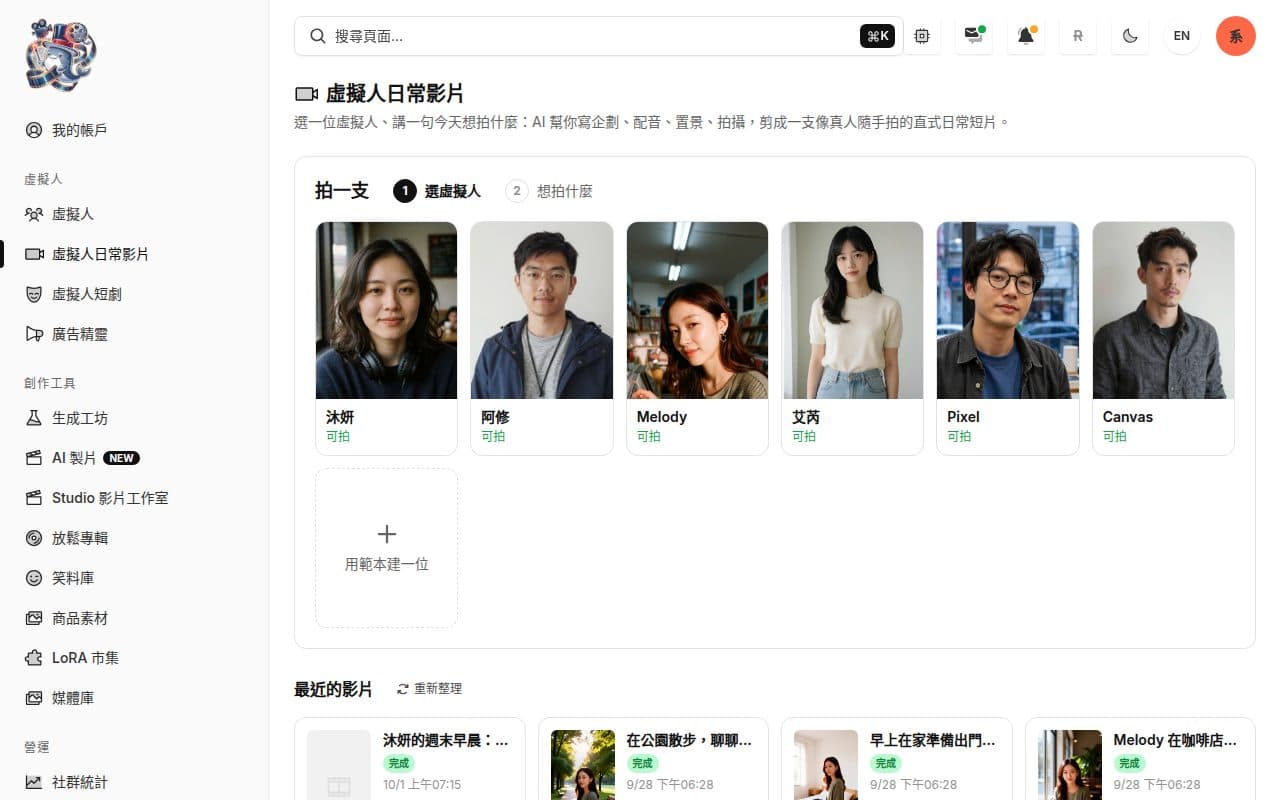
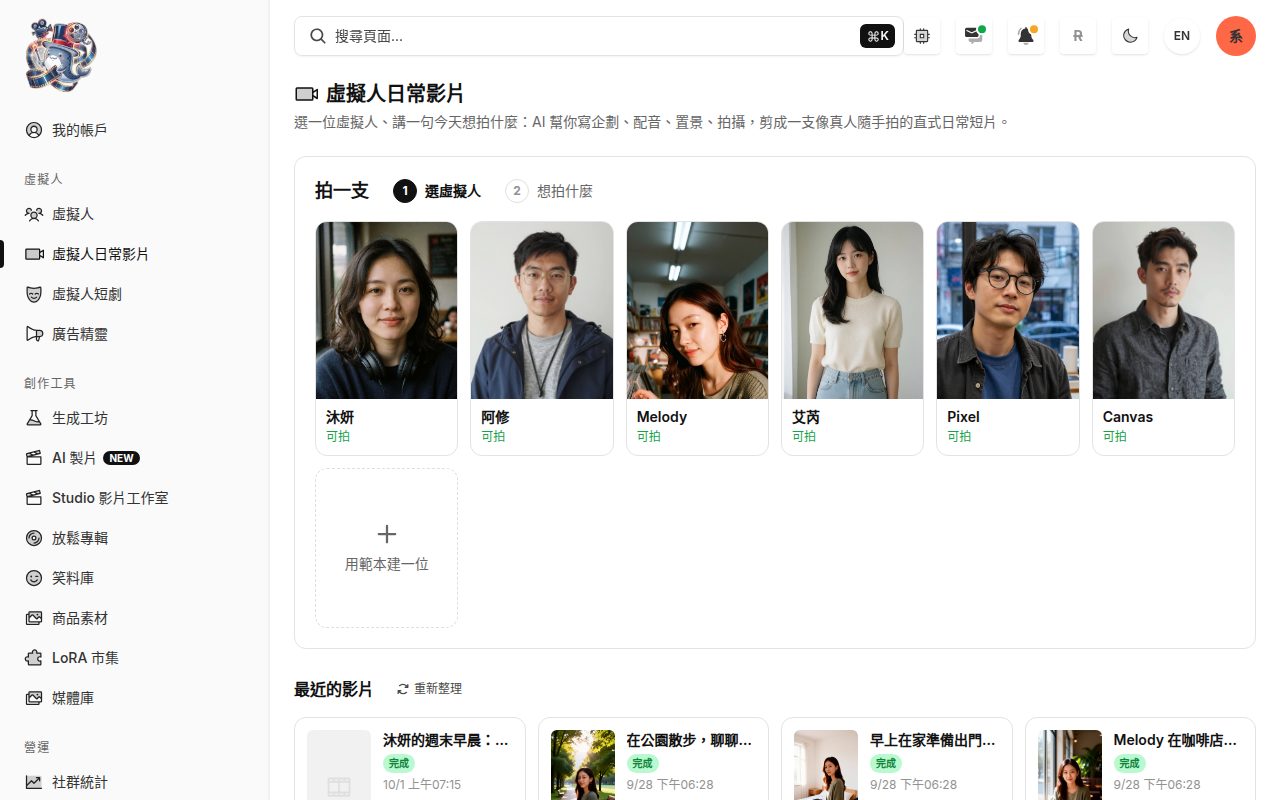
Everyday videos: pick a virtual human, say what to film today, and get a vertical clip that looks casually shot. 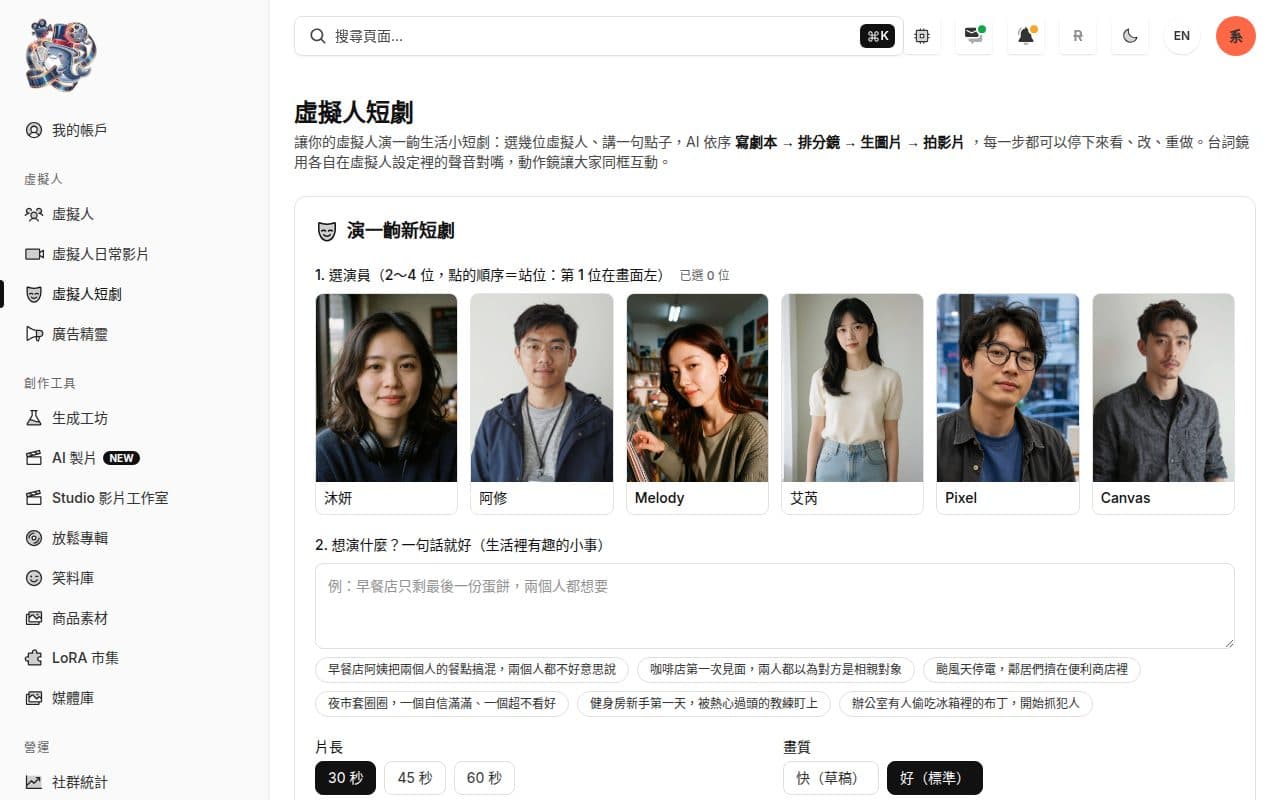
Short sketches: pick 2–4 actors and one idea; the script, storyboard, frames and video are confirmed step by step. 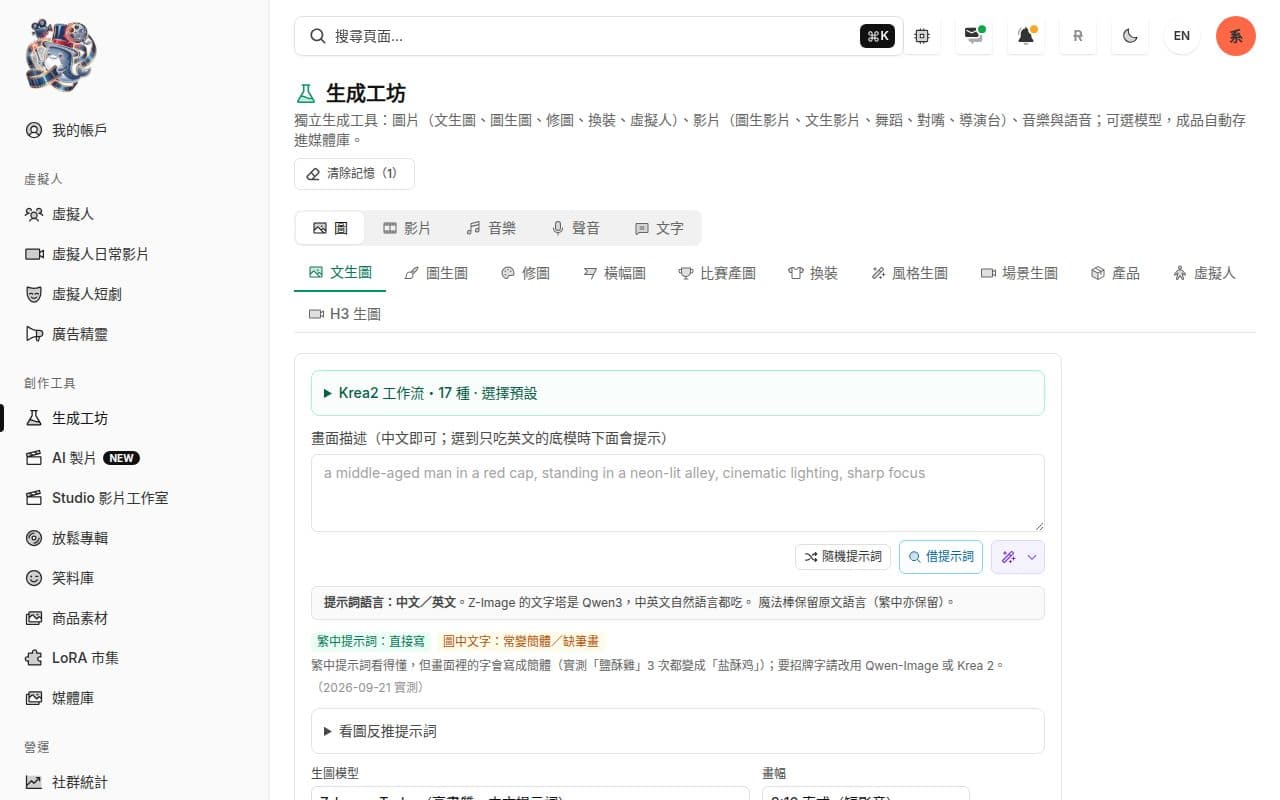
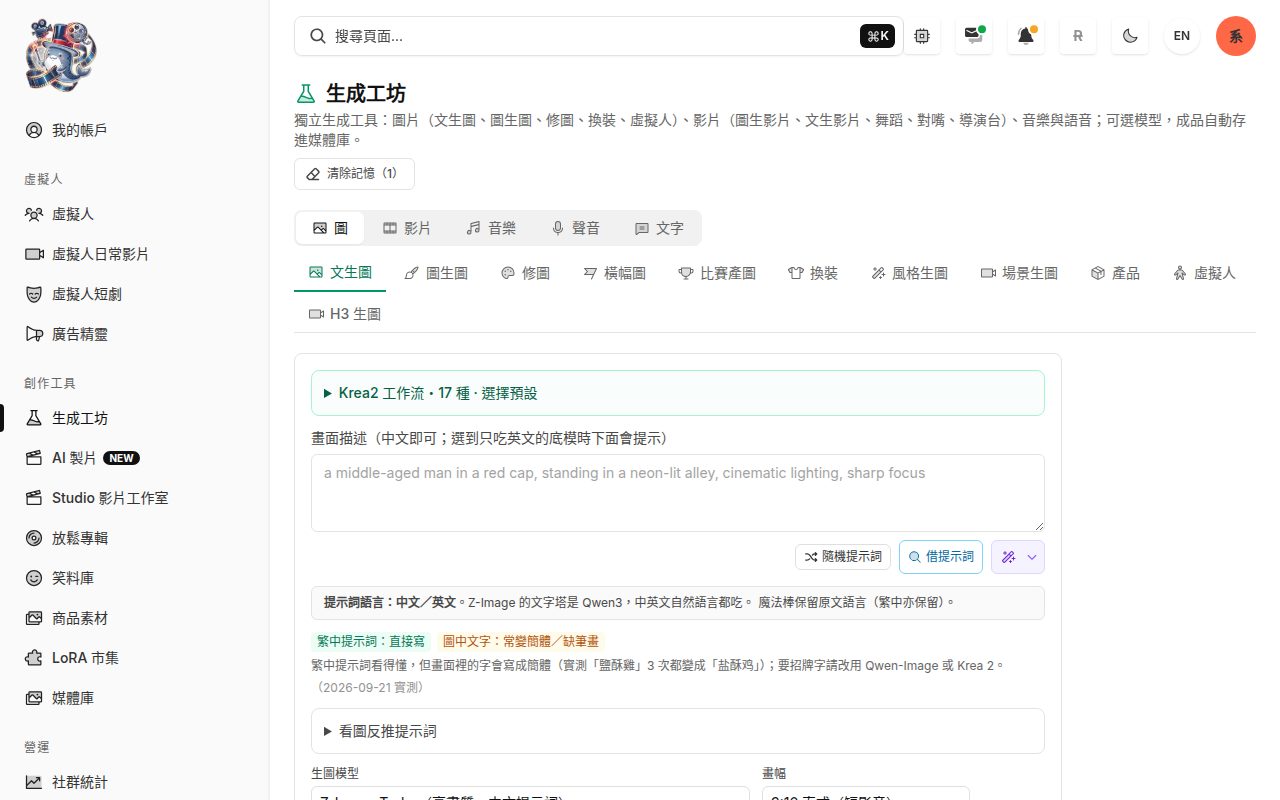
Generation workbench: tabs for images, video, music and voice, switchable image models, results saved to the media library. 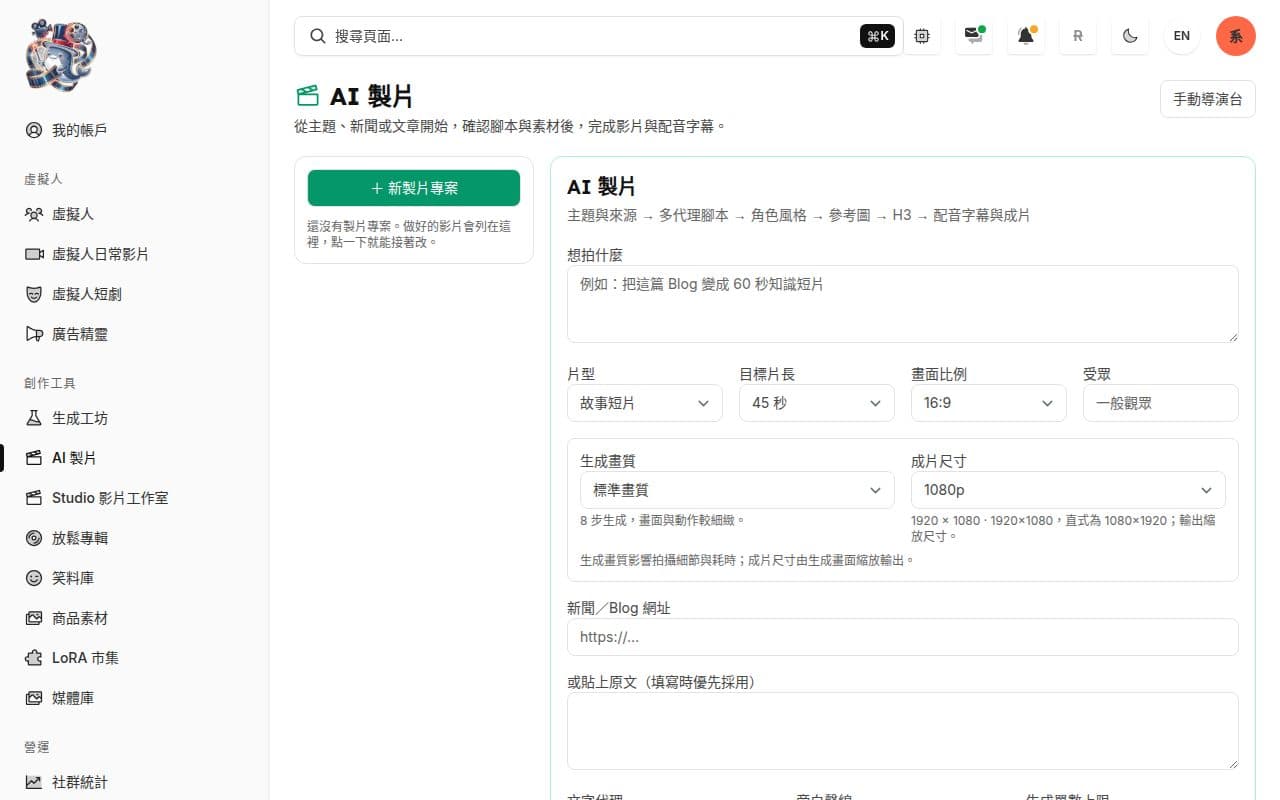
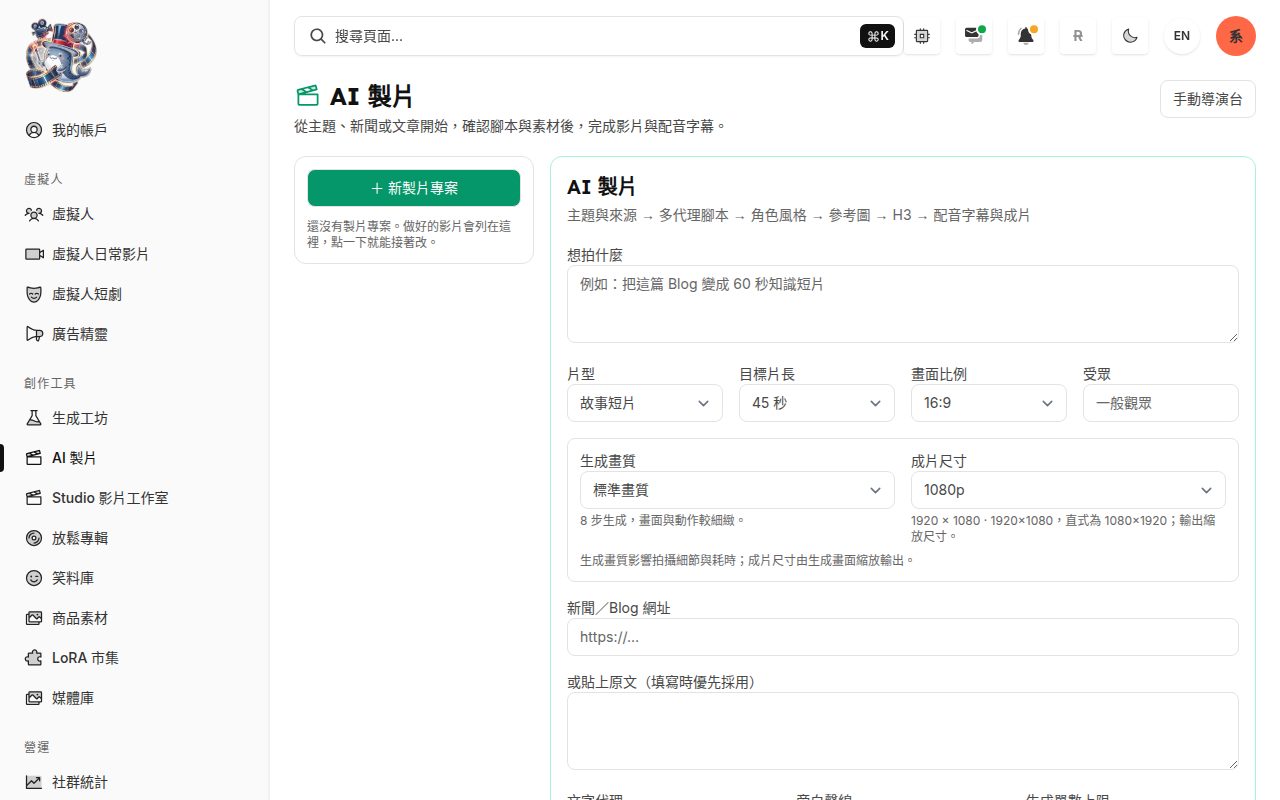
AI production: start from a topic, news story or blog post; several AI agents write the script, then narration and subtitles finish the video. 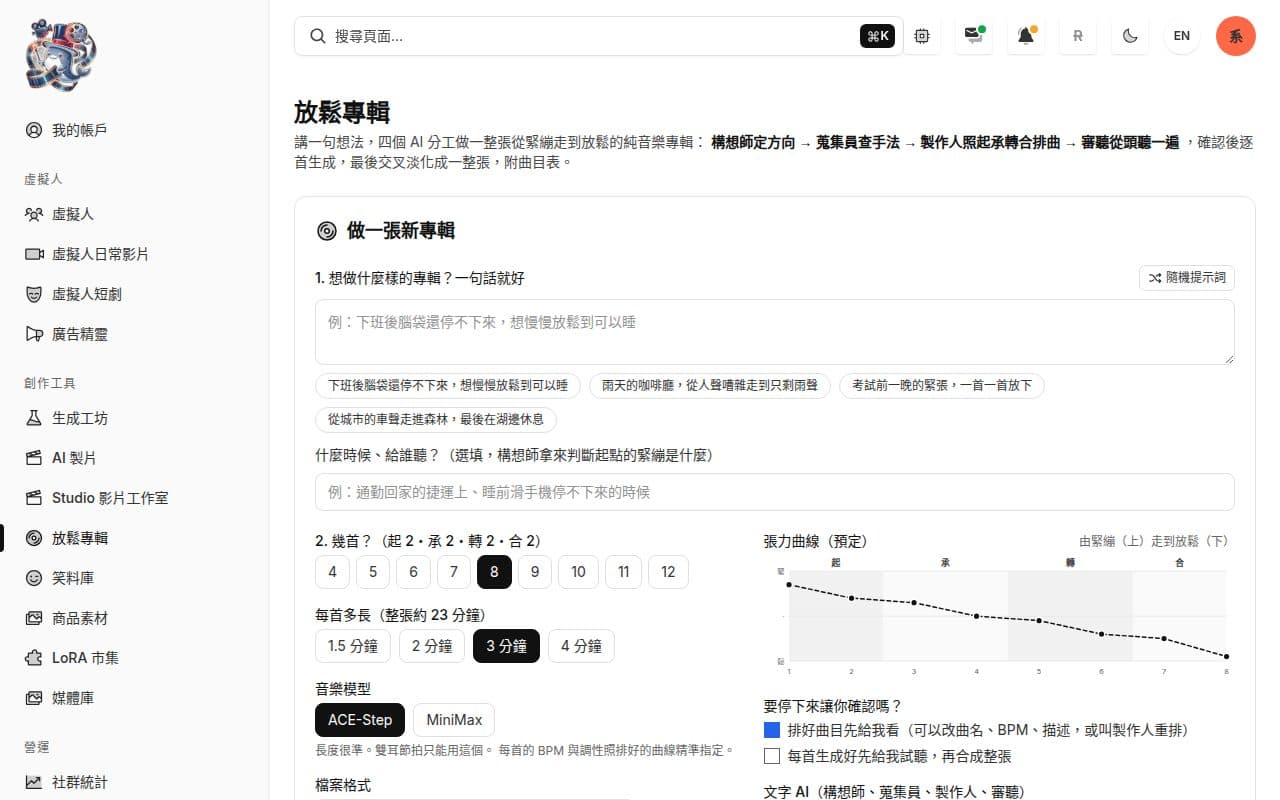
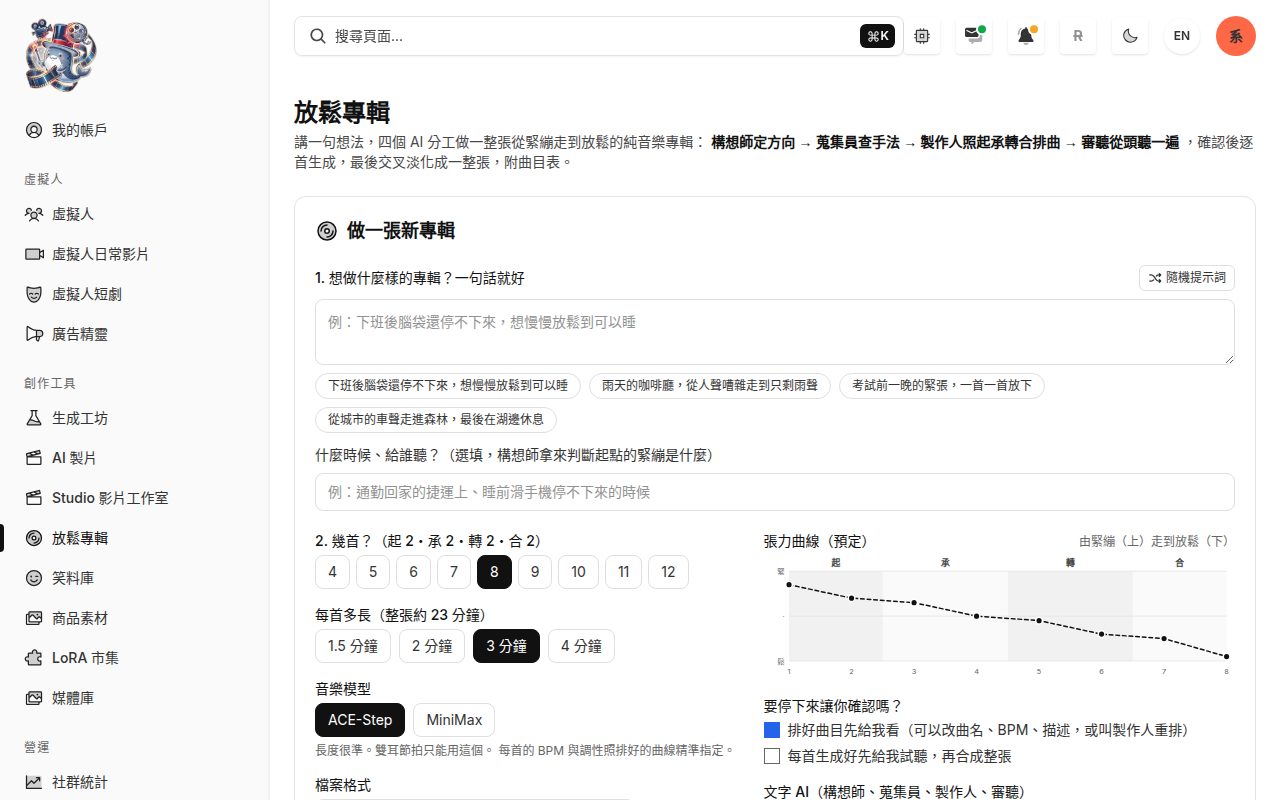
Relaxation albums: four AI roles arrange a track list that moves from tense to calm, and ACE-Step generates each track.
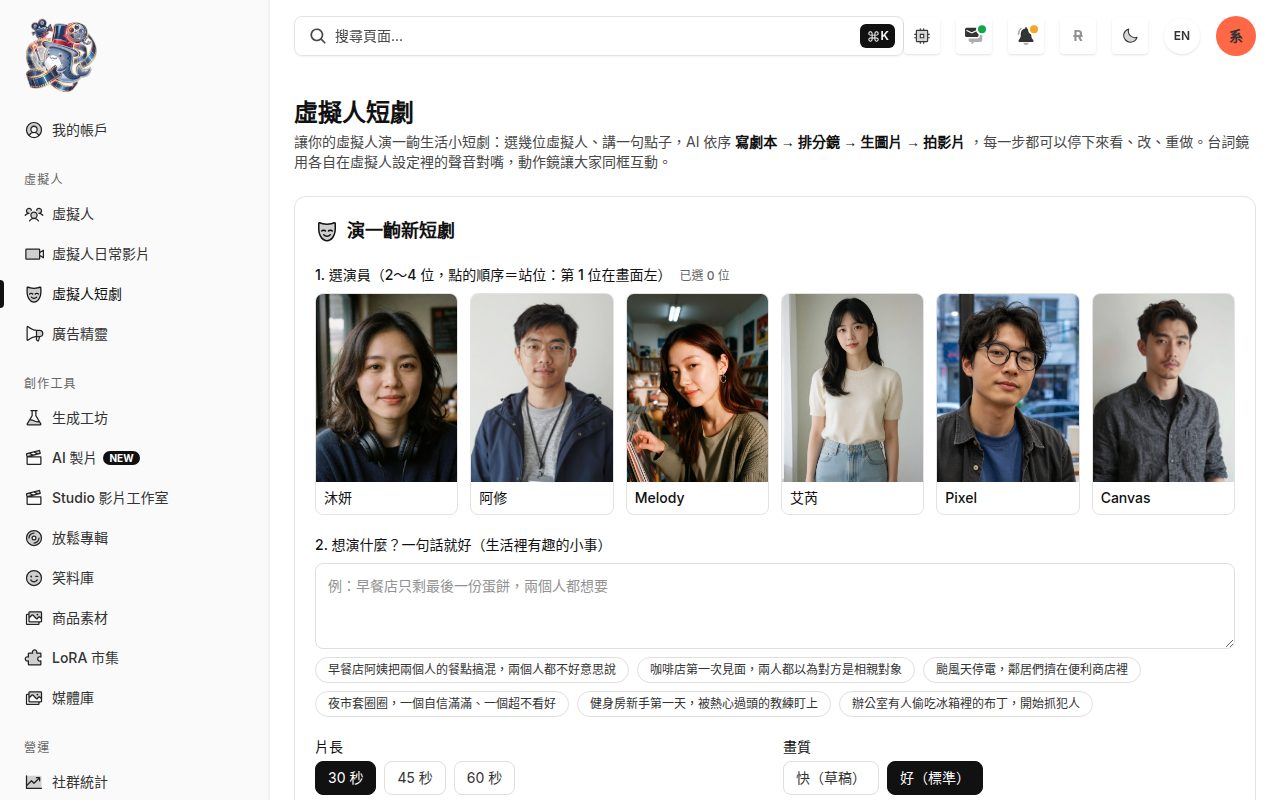
Generated clips
Clips this platform actually generated: first an AI ad; then three virtual characters speaking, each line voiced in the character’s own voice, lip-synced and subtitled; and last, three image-to-video clips (MiniMax H3) starting from a single keyframe of a virtual human, 5 seconds each, unedited.
AI ad: a 58-second family-travel ad about taking a three-year-old to Kansai — 11 scenes, each with a title and subtitles, ending on “request the itinerary”. Greeting: an 8-second self-introduction in a record shop, asking viewers to follow; the subtitles keep pace with the voice. Lip-sync close-up: a man talks straight to the camera, and even this close the mouth matches the voice. Weekend vlog: three small ways to slow down, told while walking through a park — 37 seconds across several shots, with the same face and voice throughout. Park path: she walks toward the camera smiling; her face, clothes and the light stay consistent with the keyframe it started from. Packing: one hand on the suitcase, she laughs, looks down and back up at the camera; the room and morning light hold steady throughout. Café: she lifts the cup and sips while the camera slowly pushes in to her smile; the music and ambient sound are generated by the model too.
More work
Cases from the same service come first.
On-prem models
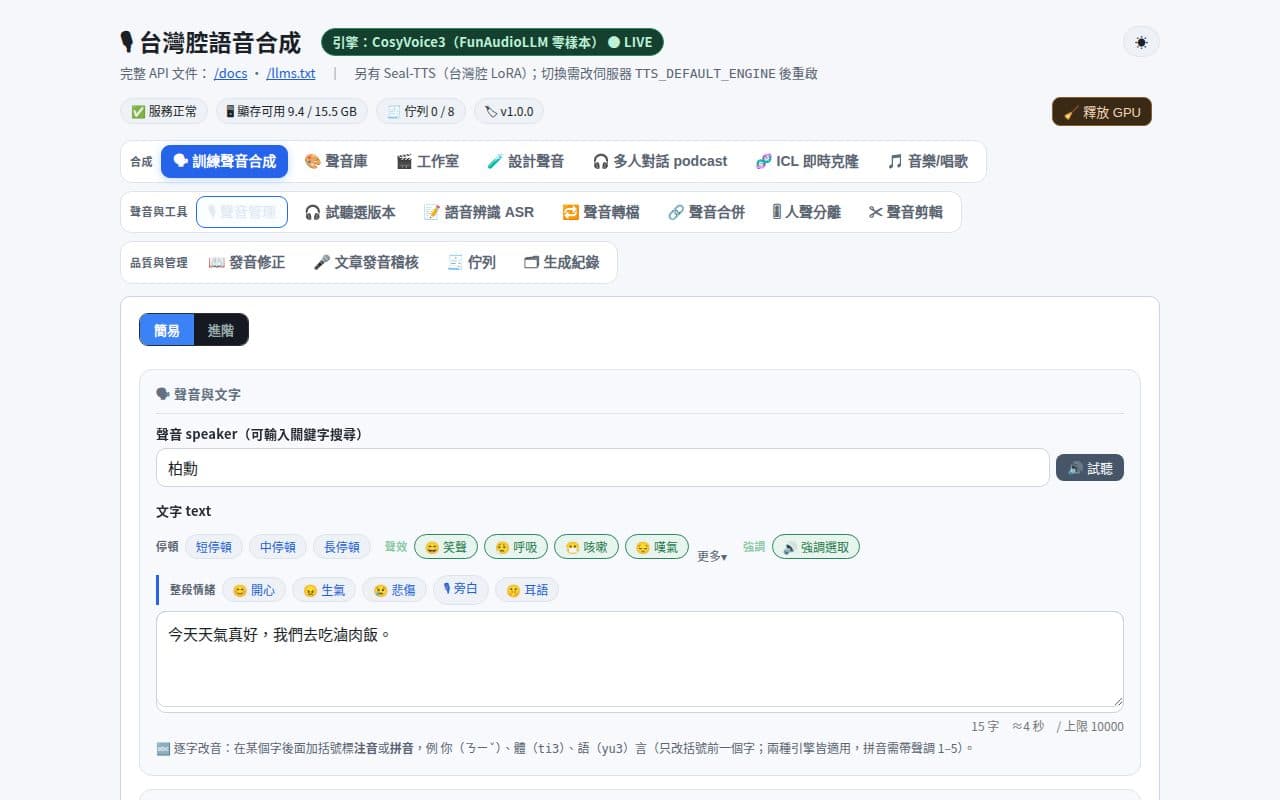
Voice training and fine-tuning
Fine-tunes a dedicated voice from your recordings on a local GPU. A trained voice turns text into speech, with controls for stability, speed and emotion; a pronunciation table corrects Taiwanese Mandarin readings.
- Each voice gets its own adapter; every epoch is kept, so you can play the same line on each version and pick one
- Zero-shot cloning for when there is not enough audio yet: 3–15 seconds of clean speech gives a first preview
Qwen3-TTS · CosyVoice3 · LoRA · local GPU · MCP
E-commerce
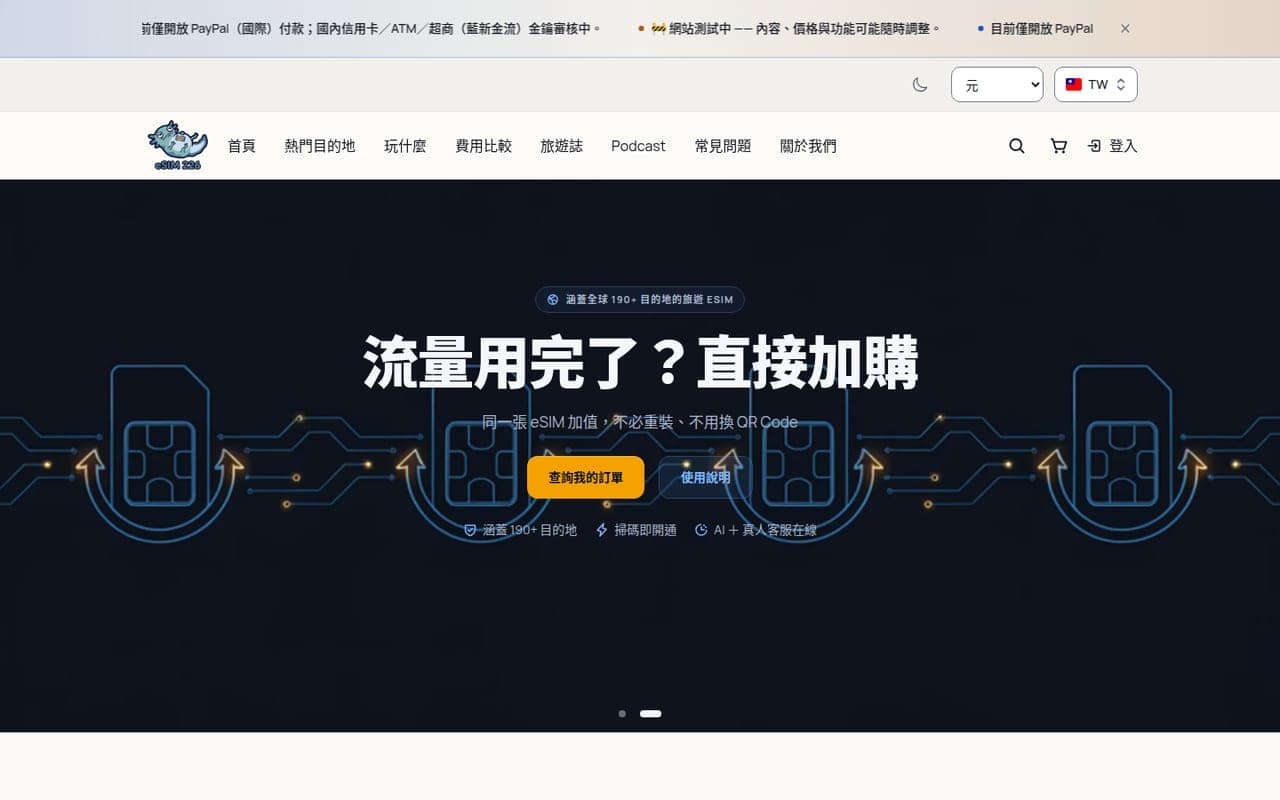
eSIM 226 storefront
A travel eSIM store in eight languages with multi-currency pricing and two Taiwanese payment gateways. Paid orders are provisioned with the upstream supplier automatically and the install email goes out on its own.
- Eight locales and multiple display currencies, so Japanese buyers see yen
- Automatic provisioning across two suppliers, with failover
Next.js · PostgreSQL · Keycloak · ECPay/NewebPay · Kubernetes
Admin system
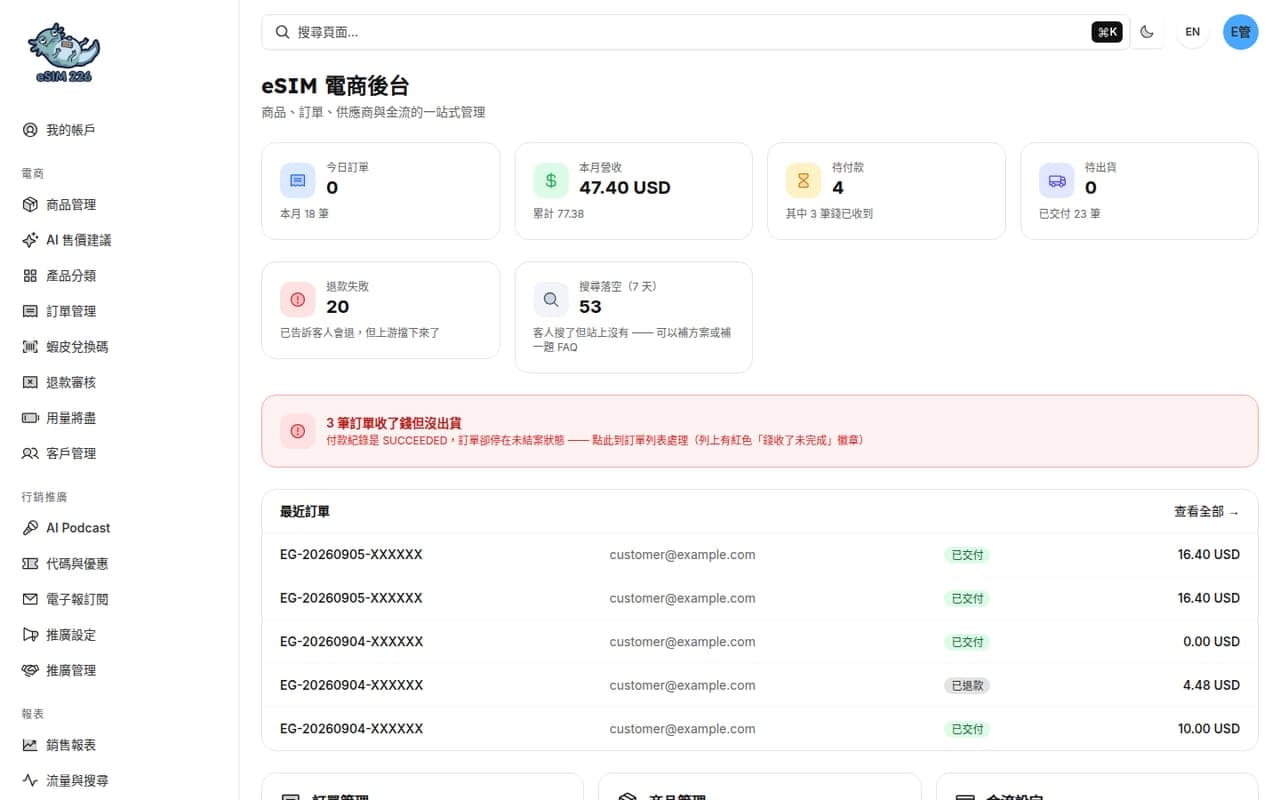
eSIM back office
The operations side of the same store: products, pricing, orders, refunds, suppliers and payments in one place. It actively surfaces problems like "paid but never fulfilled" instead of waiting to be asked.
- Orders, revenue, unpaid and unfulfilled counts at a glance
- AI pricing suggestions and bulk listing changes
Next.js · PostgreSQL · Keycloak · GA4 Data API
See insideE-commerce site